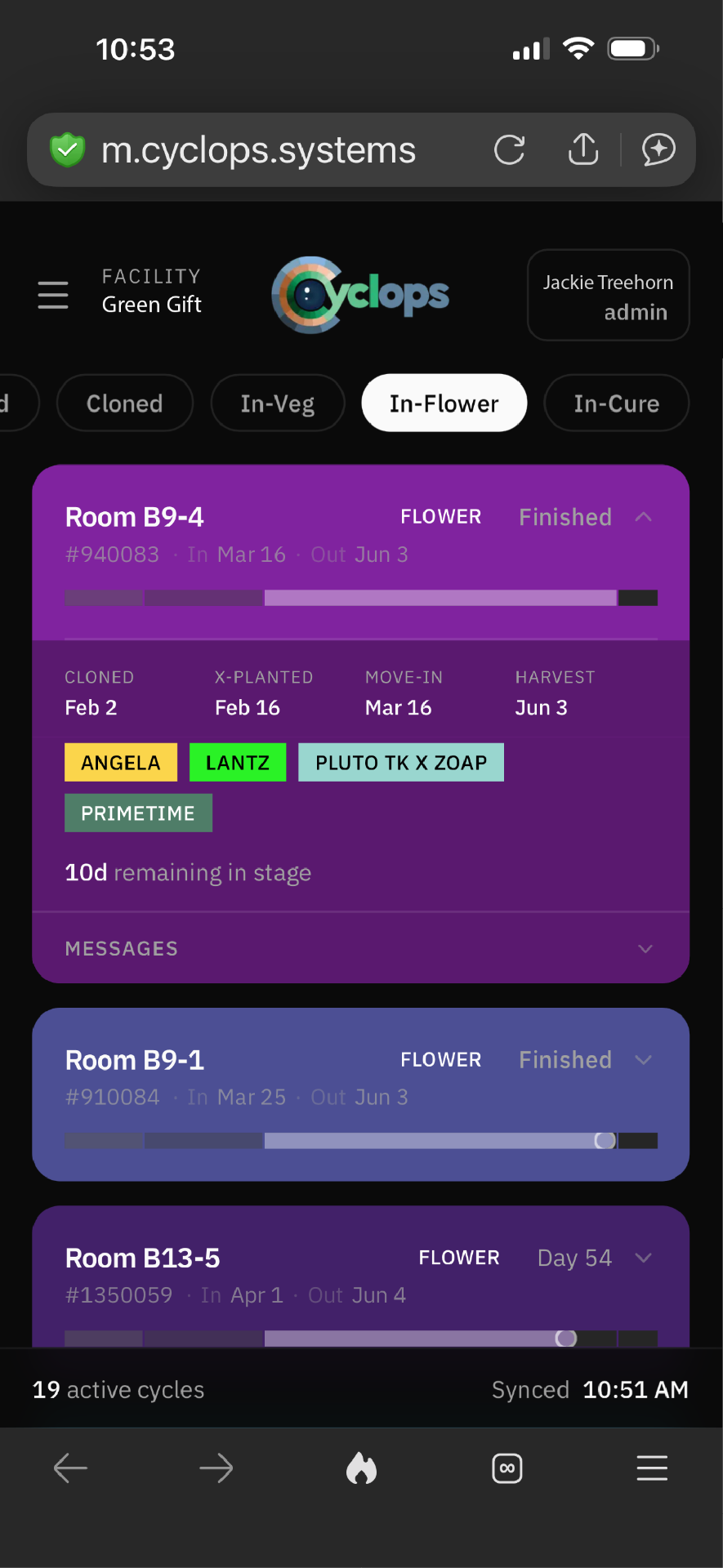
Adjust a move-in date
Update a cycle once and watch the connected schedule move with it.
Cyclops is B2B scheduling and operations software for commercial grow teams — plan crop cycles, manage grow rooms, and keep everyone working from one live plan.
Trusted by


— Dynamic scheduling
We can influence living things, but we can't control them. And if your scheduling system is rigid, your plants end up paying the price.
Cyclops is powered by Ripple-Down™, a proprietary dynamic scheduling engine built for high-value indoor cultivation. When something changes — a late flip, a tweaked veg window, a strain that needs a different rhythm — the entire system adapts automatically. So you can focus on what matters most: your plants.
— See it in action
See how Cyclops keeps cycles and room timelines connected as plans change.
Update a cycle once and watch the connected schedule move with it.
See room timelines respond as timing changes across the plan.
— Mother plant management
Every production cycle starts with a healthy, well-timed mother plant program. Cyclops tracks each strain's mother stock alongside the production plan, so you're never overcrowded and you're never in a bind.
See how mother plant stock, strain demand, and room work stay connected in Cyclops.
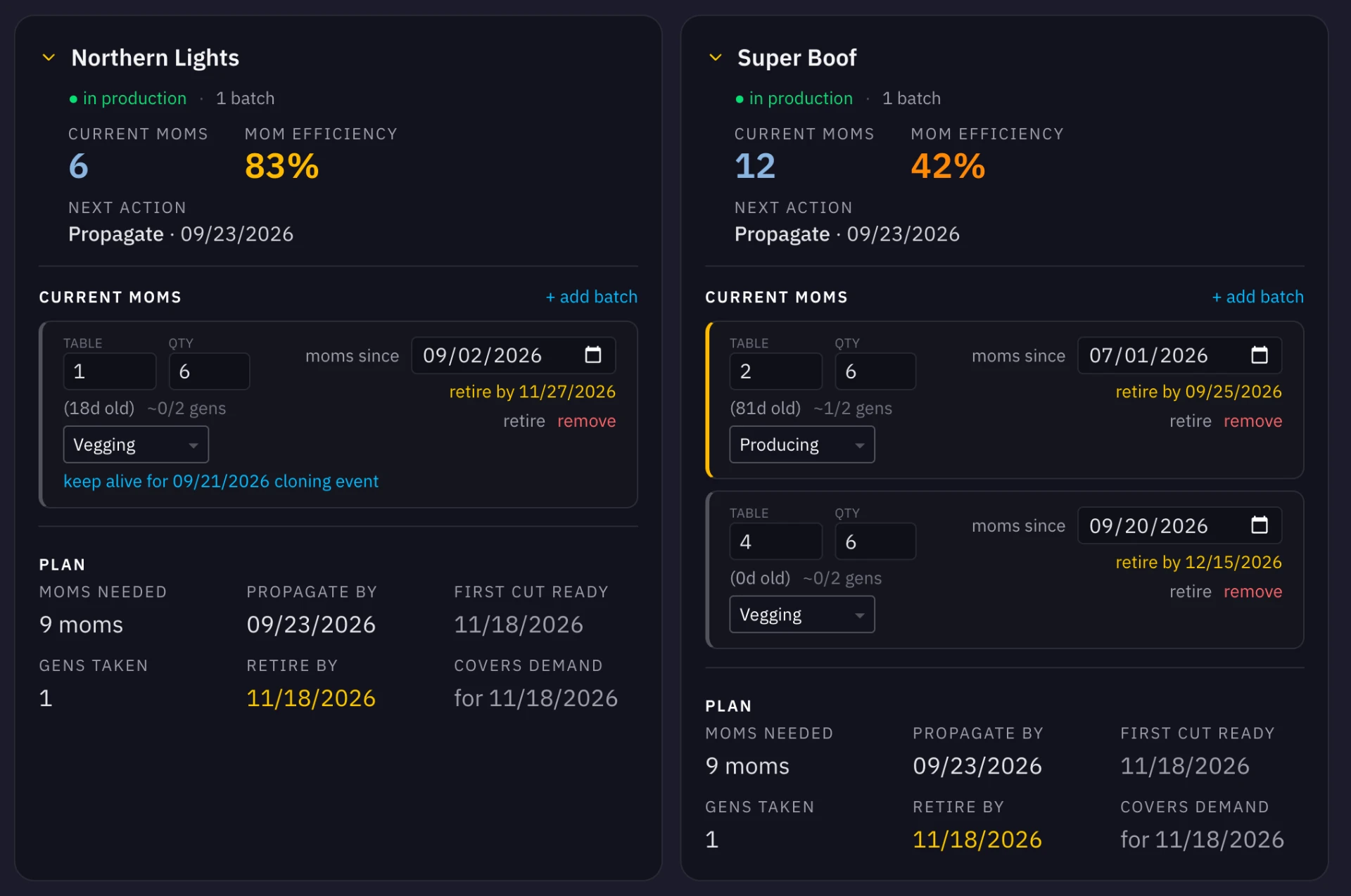
See current mothers, stock health, and the next action for every strain at a glance — and how today's stock lines up with what the plan will need next.
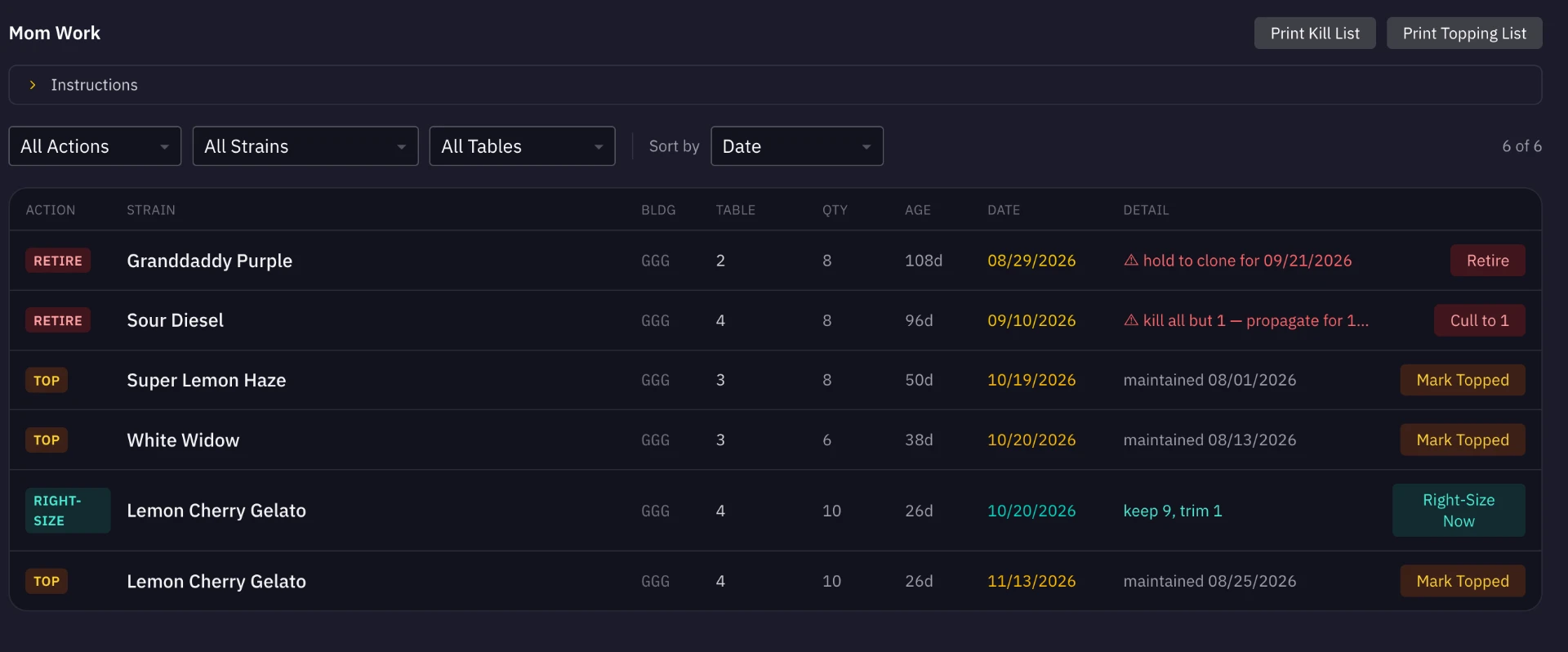
Maintenance work for the mother room is generated from the plan itself. Your team sees exactly what's due, for which strain, on which table — with printable lists for the floor.
— Capabilities
Generic scheduling tools force you to bend your workflow to the software. Cyclops looks at things your way.
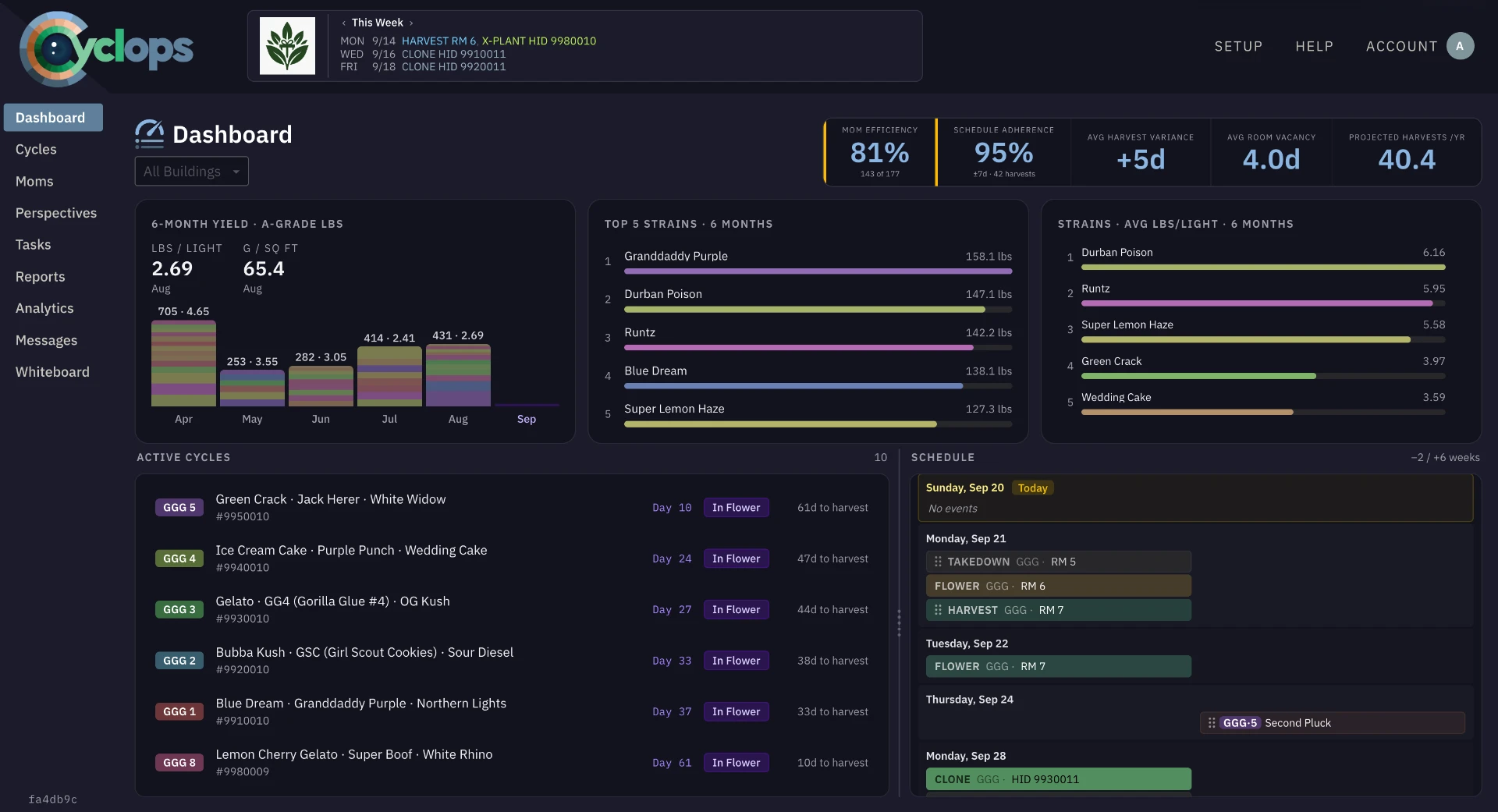
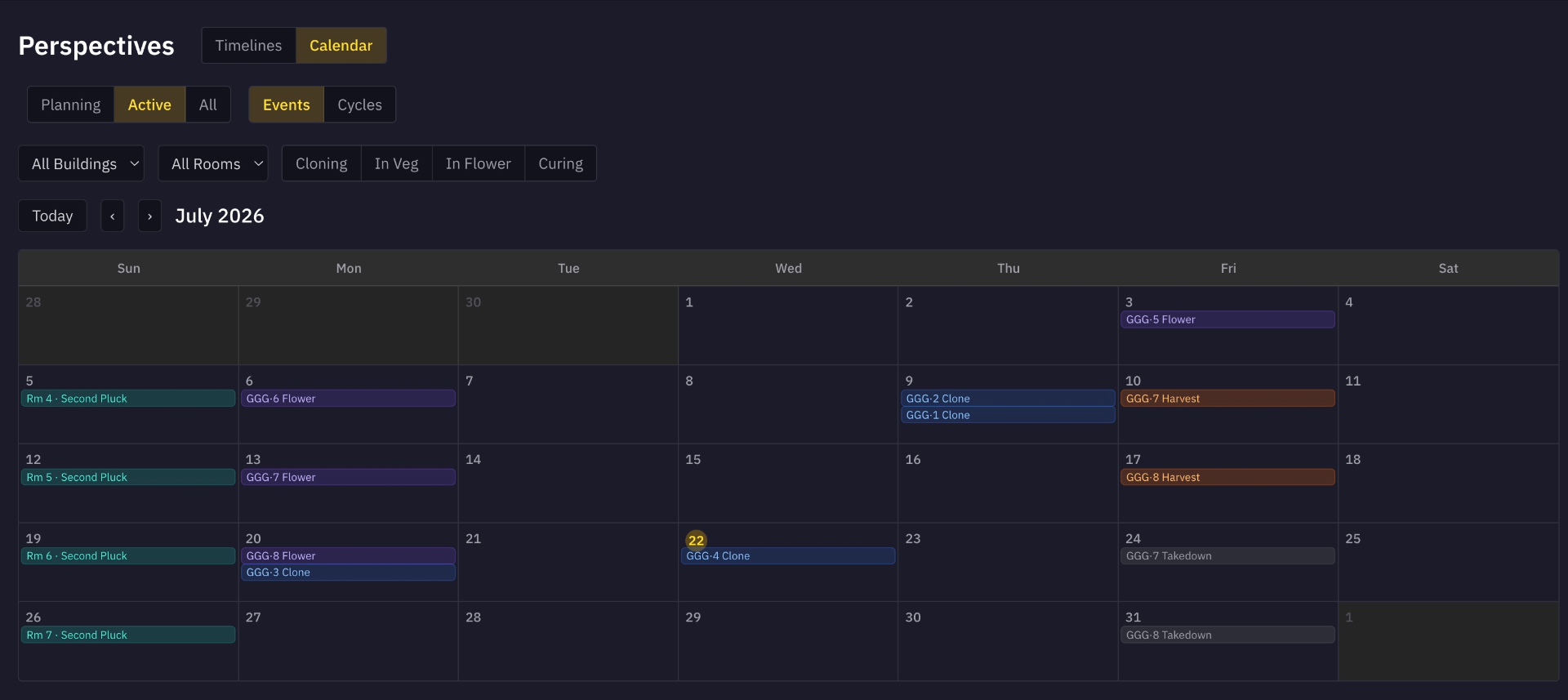
Elastic timeline and calendar views provide macro and micro visibility of your entire operation — weeks or months out.
Manage your production schedule at the table and strain level with full lifecycle visibility from propagation to cure.
Plan around how each cultivar actually behaves, and group cycles in a way that makes sense for your room.
Precise control of what everyone on your team can see, do and edit.
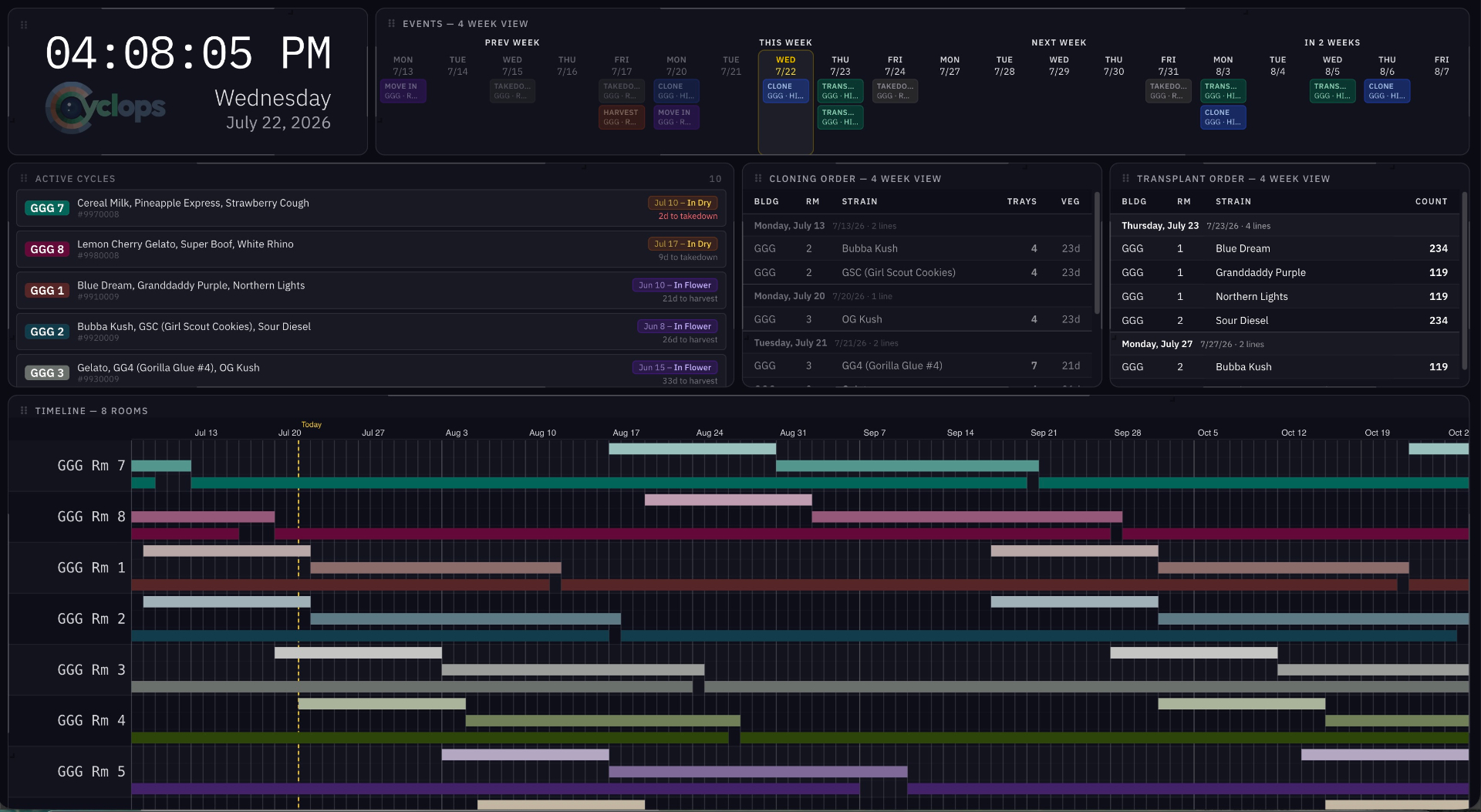
Customizable full-screen display communicates everything your team needs to stay on task and in the know.
Level-up your team communication with cycle-aware messaging. Talk to one person or broadcast to the whole team about a specific room.
Catch overcrowded veg rooms and overbooked dry rooms before they bite you.
Tell your propagation team exactly what to pull and when, in one click.
Infinite scaling from a single warehouse to a multi-building campus. Cyclops adapts to your floorplan, not the other way around.
— Perspectives
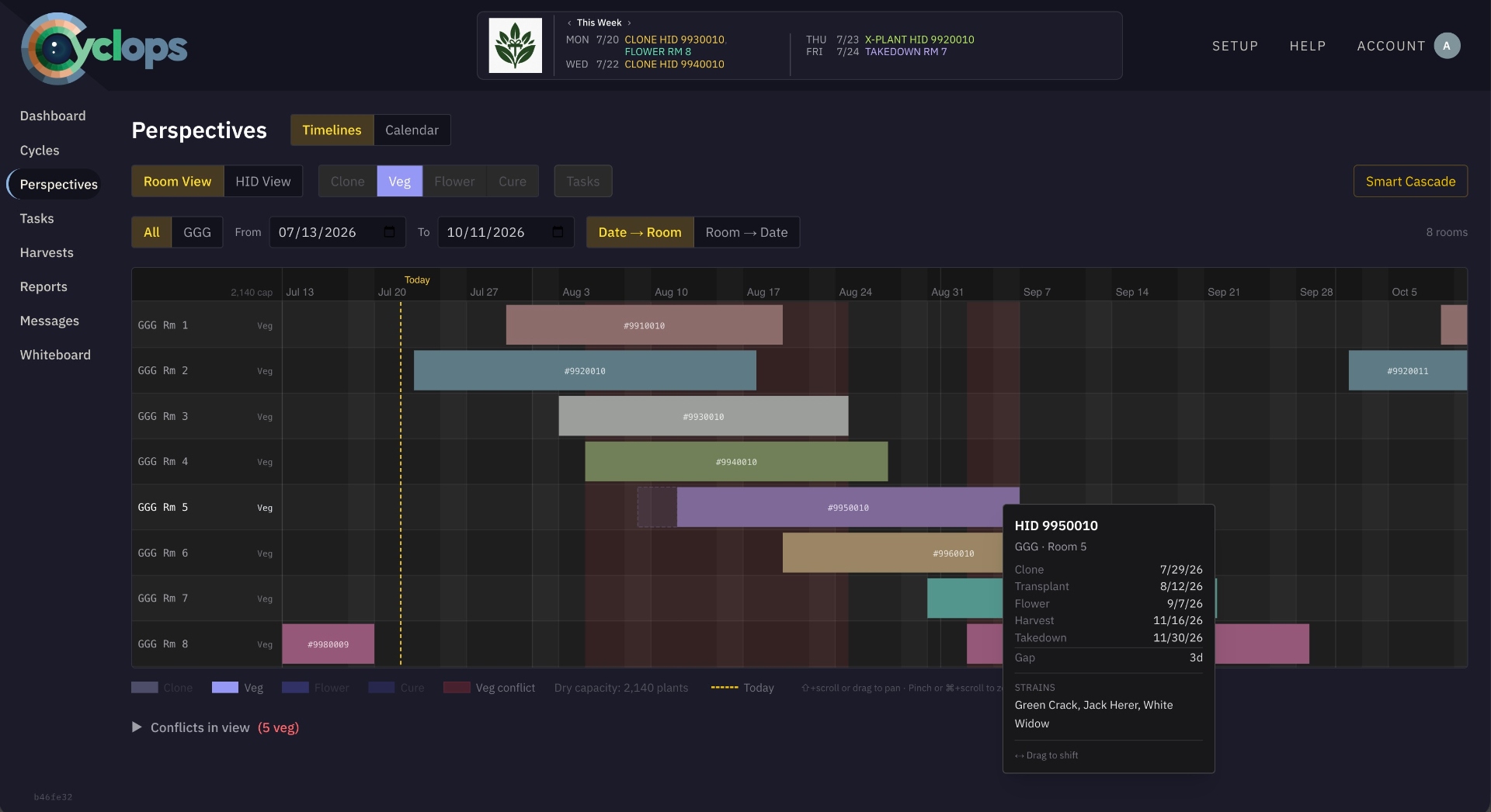
Switch instantly between flower, veg, and dry timelines. Filter by building, room, or strain. Spot and fix capacity conflicts long before they happen.
— Tasks
Whiteboard Mode shows your team everything they need to succeed. Customizable modular widgets, arranged your way.
— Mobile
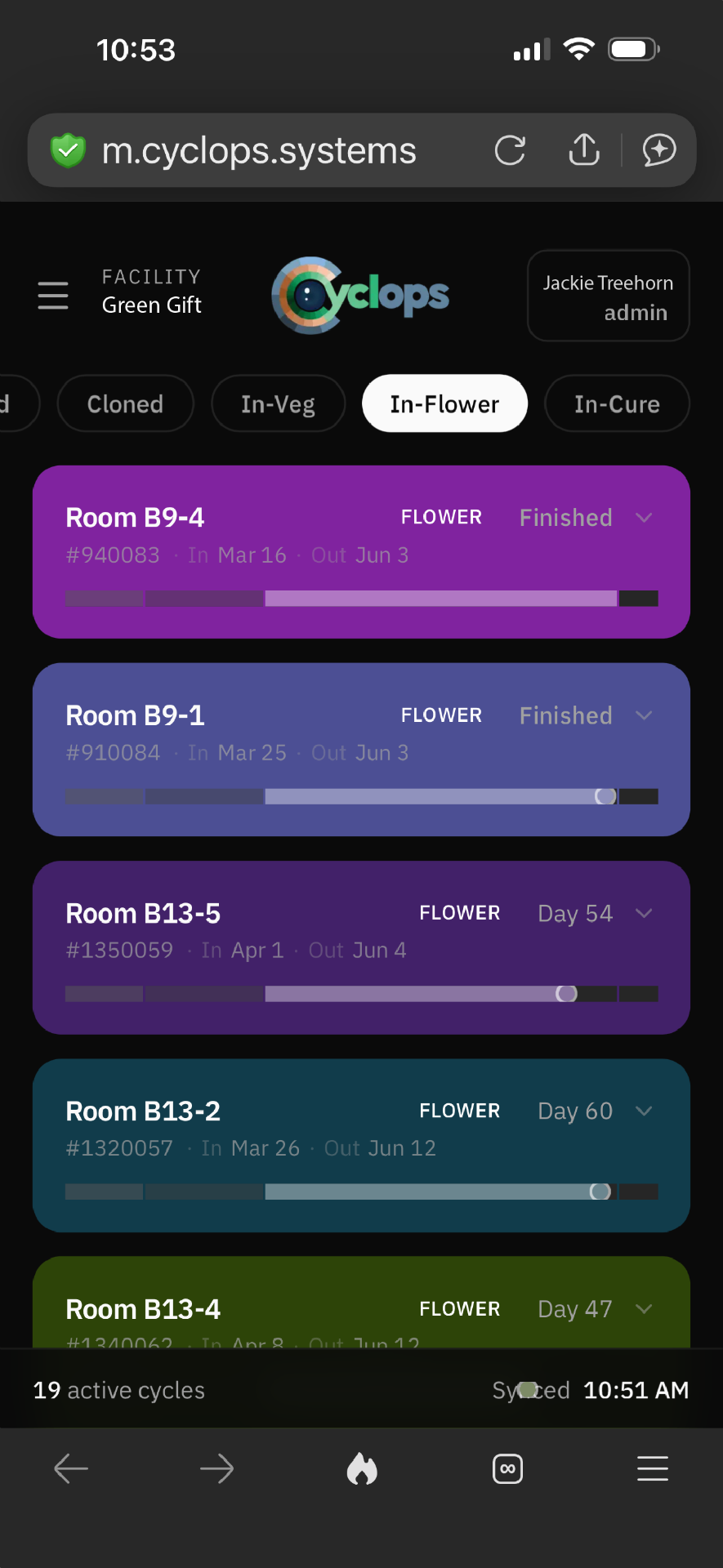
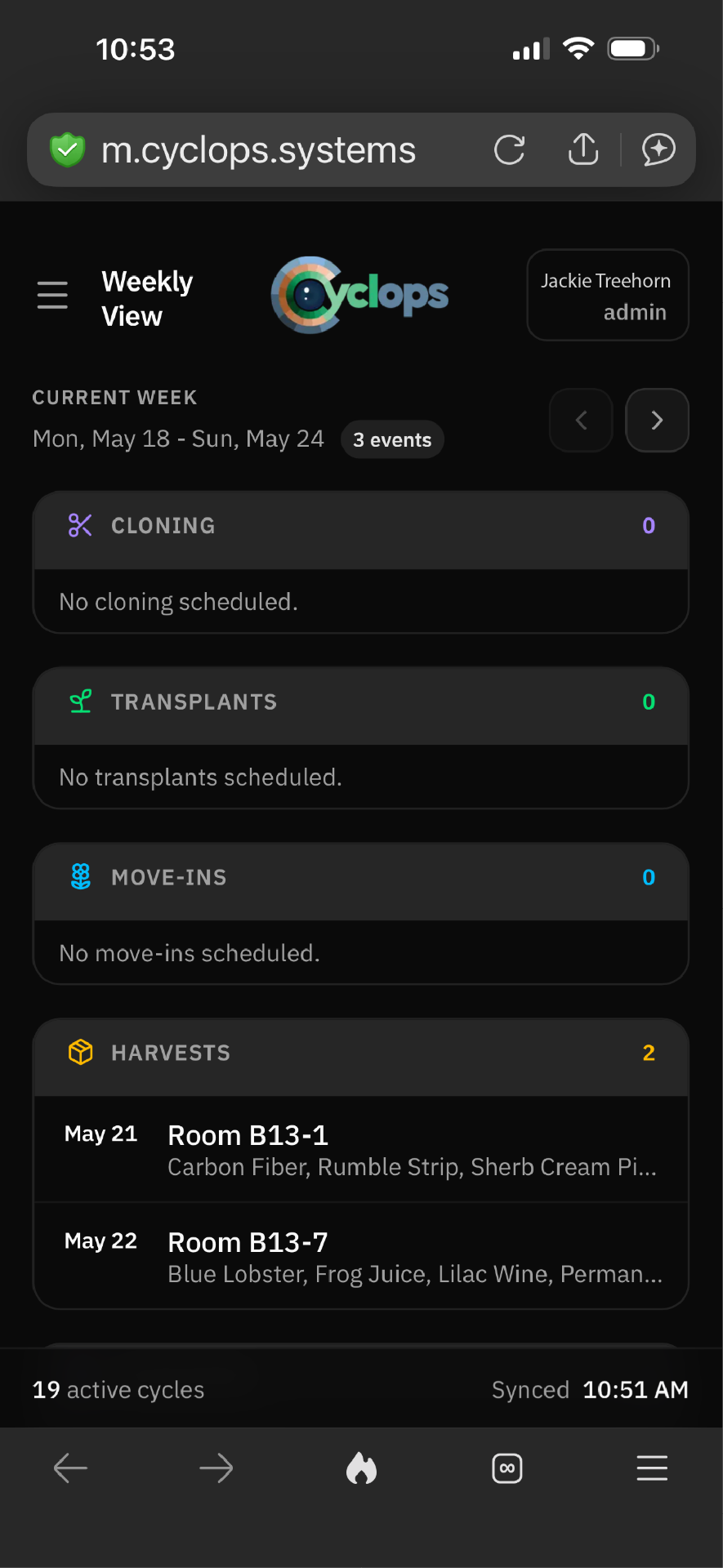
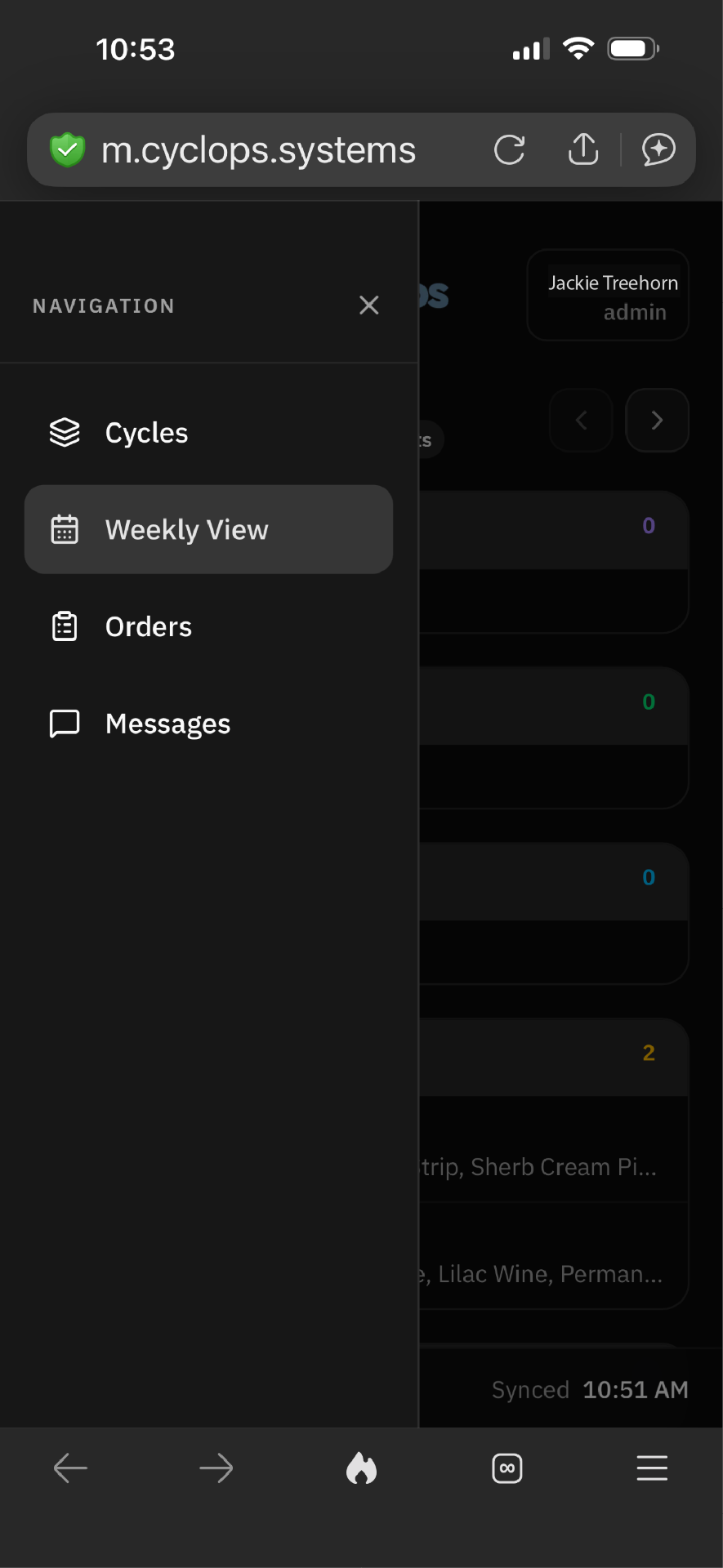
Computers and plants don't exactly vibe together. Which is why we have a mobile version to give you the visibility you need, any time, any place. Check your dates, keep tabs on tasks, view and print cloning and transplant orders and message your team all from your phone or tablet.
— Harvests & Yields
As-you-trim data entry turns quick keystrokes into usable insights. Yields, room performance, and strain trends calculate themselves. No spreadsheet, no backlog, no waiting.

Log wet, dry, and trimmed weights from any device as the work happens. No paper, no double entry.
Pounds-per-light and grams-per-square-foot computed on the fly, per room, per strain, per cycle.
Compare cycles side-by-side, surface top-performing strains, and export clean PDF or CSV reports in two clicks.
— FAQ
Cannabis cultivation software is the operational system a commercial grow team uses to plan and run production — cycle scheduling, room and table assignments, strain-level planning, and day-to-day task coordination. Cyclops is business software for cultivation operators; it does not sell, distribute, or facilitate the sale of any regulated product.
No. Cyclops is scheduling and operations software. It does not handle state or federal compliance reporting, inventory, point of sale, or distribution. Most teams run Cyclops alongside whatever compliance system their jurisdiction requires.
You model your sites, buildings, rooms, and tables once. From there Cyclops plans cycles against real capacity, so overcrowded rooms and unexpected gaps surface before they cost you a harvest.
Yes — that's the core case. Overlapping cycles, per-cultivar rhythms, and a single live plan maintained by our proprietary dynamic scheduling algorithm, so a shifted date updates everyone's work instead of one person's spreadsheet.
Cyclops is not for
— Pricing
Monthly billing. Unlimited cycles, rooms, and strains. Built to scale from a single flower room to a multi-building campus.